Loyalty points
A loyalty points program for Shopify
Customers earn points for orders and a few other actions, then turn the points into a discount on their next order. You choose what each action is worth and what the points buy.





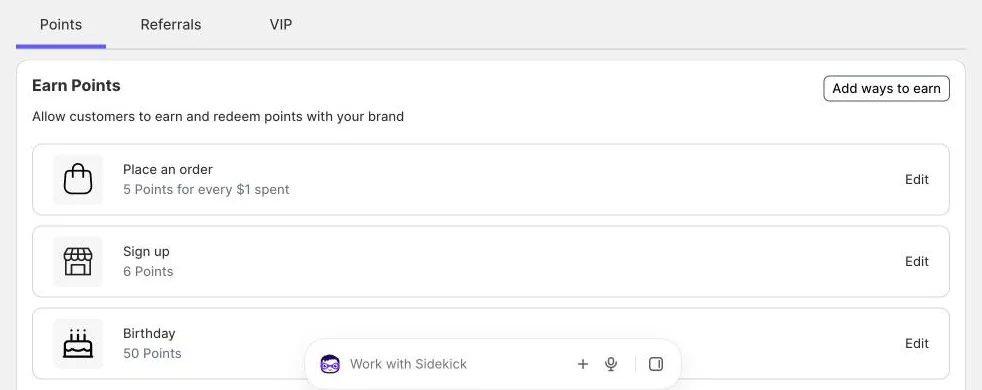
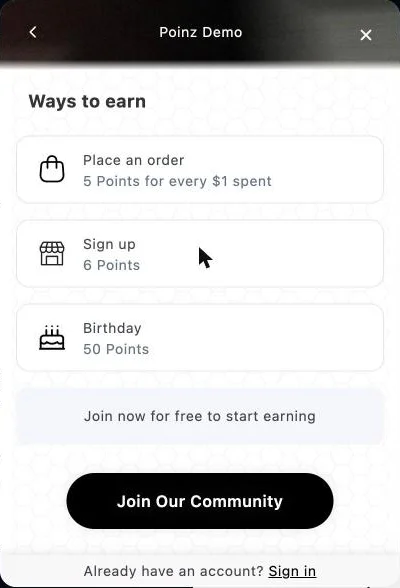
How customers earn points
You choose the ways to earn and the points for each one. Each way can be added once, and you can turn it off at any time.
- Place an order: a number of points for every $1 of the order total, or a fixed number of points per order. Points are added when the order is created and rounded down to whole points.
- Sign up: points when the customer creates an account in your store.
- Birthday: the customer enters a birthday in the rewards panel and gets the points on the day. A birthday set or changed in the last 30 days gives no points, so nobody can change it to get points twice.
- Social: points for liking your page on Facebook, sharing on X, or following you on Instagram or TikTok, once for each action. The customer must be signed in.
How customers redeem points
Points buy a fixed amount off the order. You choose one of two styles.
Increments: the customer picks how many points to spend on a slider, in steps you set, for example $1 off for every 100 points. Fixed: one reward at a set price, for example $5 off for 500 points.
Poinz turns the points into a Shopify discount code that only that customer can use, once. The code has no end date, and the customer copies it from the rewards panel.
Where customers see their points
A launcher button opens the rewards panel on every page of your store. The panel shows the balance, the ways to earn and the rewards the customer can buy.
You set the launcher text, its icon (bag, gift, price tag or crown), its side of the screen, and whether it shows on mobile, on desktop or on both. In your shop, staff see the same balance in the Poinz tile in Shopify POS.
Set up the points program
- 1
Turn on the app embed
In the Shopify theme editor, open App embeds and turn on Poinz. The launcher and the rewards panel appear in your store. You do not edit theme code.
- 2
Choose the ways to earn
Start with Place an order. In the setup Poinz suggests 3%, 5% or 10% back in points; at 5%, a $100 order earns 500 points, worth $5. Add sign-up, birthday and social actions if you want.
- 3
Add a reward
Choose increments or a fixed reward and the points it costs. Add a separate POS reward if you sell in store.
Points program questions
- Do points expire?
- No. Poinz does not expire points, and the discount codes customers redeem have no end date.
- Which order amount earns points?
- The order total that Shopify records, after discounts. Poinz rounds down to whole points.
- What happens to points when I refund an order?
- Poinz does not remove them automatically. You can change a customer's balance by hand in the Poinz admin.
- Is the points program in the free plan?
- Yes. Every plan has every feature, the free plan included.
Free for 50 orders a month. $9 for 1,000.
Install Poinz, turn on the app embed and choose your rewards. Shopify bills paid plans with your store invoice.
Paid plans have a 7-day free trial. No credit card needed for the free plan.